How to report a bug in Stanley
Last updated: January 28, 2026
If you run into something that doesn’t seem to be working correctly in Stanley, you can report it directly from your account! Submitting a bug report helps our team investigate and improve the product.
Follow the steps below to report a bug:
Log into your account at stanley.stan.store
Click the three lines (☰) in the top corner of your dashboard to open the menu.
Scroll to the bottom of the menu and click on your name to access account options.
From the menu, click Feedback to open the feedback options.
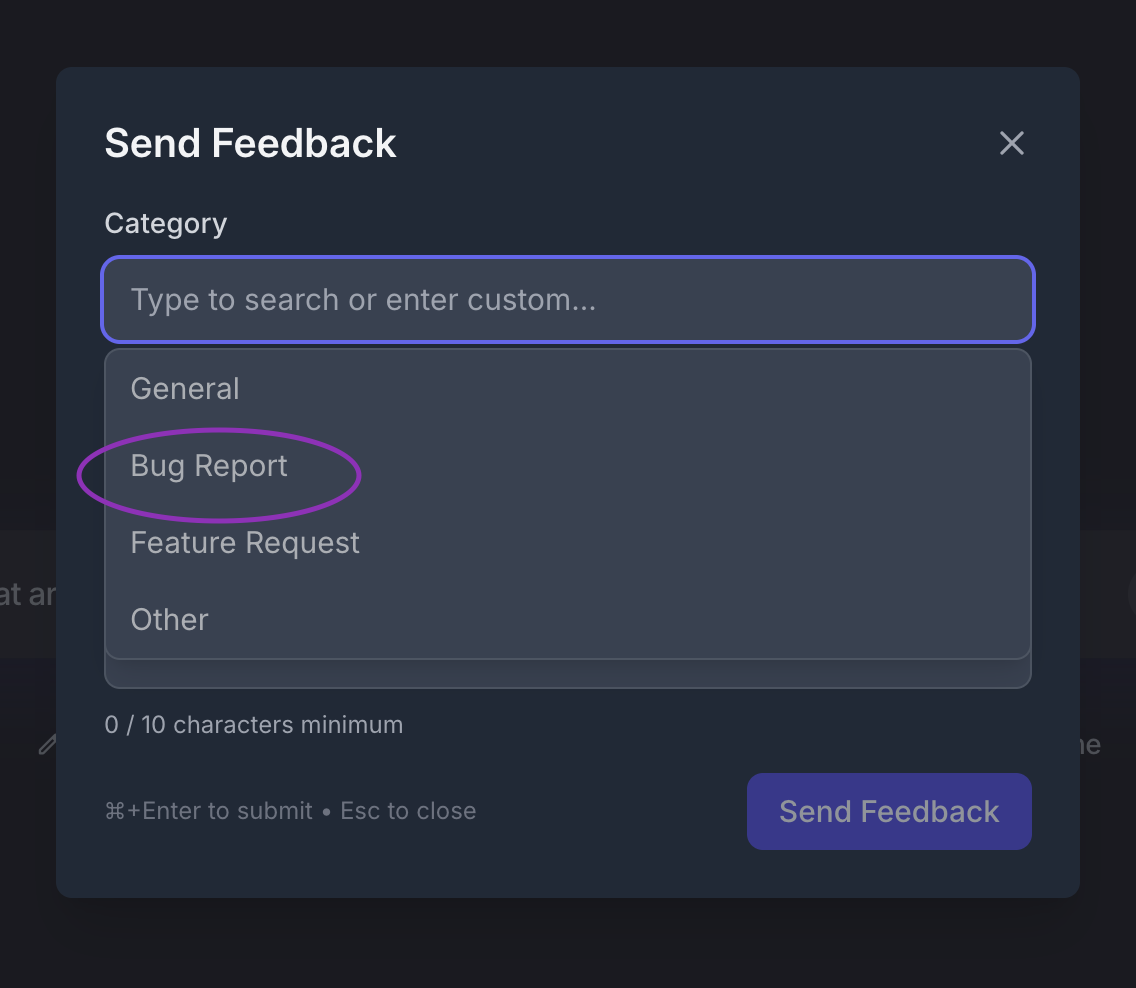
Select the Bug Report category and share as much detail as possible about what you’re experiencing! 🪲
Tips for submitting a helpful bug report 🔍
Including the following details can help us resolve issues faster:
What you were trying to do when the issue occurred
What you expected to happen vs. what actually happened
Any error messages you saw
Any other context you think could be helpful for our team!
Alternative: Report bugs directly to us at stanley@stanwith.me! 📣
🙋 Need some help?
If you’re unsure whether something is a bug or need help in the meantime, email us at stanley@stanwith.me and we’ll be happy to assist 💌